Showing posts with label CW. Show all posts

Wednesday, December 03, 2025

First CW Contact

Well, after having my Full-Call for over 35 years, I have now made my very first CW contact.  Yes, after lots of practice, which has been on and off over the years, I finally managed a CW contact into VK4.  To be precise VK4PN Sava was the unfortunate recipient.  This was part of the The CQQRS slow CW practice QSO net.  So, I have cracked the ice, so to speak. Thanks for your patience Sava.  The challenge now is to keep pushing through, onwards and upwards.  It can only get better!


Information about the CQQRS Net can be found HERE.


Saturday, November 01, 2025

Long awaited firmware update for the QMX

Hans has been actively working behind the scenes to address some of the bugs in his QMX firmware. I'm sure that the amount of energy that this project has drained from him has been enormous.  Nonetheless, he keep plugging away, and with amazing results to show for it.

The latest update(version 1_02_006)  addresses the following (sourced from the QRPLabs groups.io site):-
 

Thursday, July 24, 2025

CATSync for WebSDRs


As the website states, CATSync is a tool that allows you to synchronise public WebSDR receivers with your real rig connected via CAT control to your computer. It supports the classical WebSDR, Kiwi SDR as well as Open Web RX.

As I have reiterated, there are some great developers out there that have contributed to AR in many different way, and software is one of them. I haven't tried this program yet but I will, as I am still working on the CW and this would allow me to use a remote receiver to receive some of the signals that are down in the noise from my home QTH and even compare them.  Whilst I would also be able to send CW from the attached rig.  Synchronising the two receivers would provide an extra string to the bow.

I'll post an update, when I've given it a workout. 


Monday, June 23, 2025

Morsle - the daily Morse Code challenge


Yet one more CW practice tool. this one can be found at morsle.fun.  Yes, its a little like Wordle but helps with your CW receiving.  

Tuesday, May 27, 2025

Better-ICR for practicing you CW reception

I'm still plugging away at my CW.  There are good day and bad day, I guess that is to be expected. One of the keys to good CW reception is what is called 'Instant Character Recognition', or ICR for short. I have previously posted about this and included some websites that have been helpful.  

There is however, a new kid on the block (or maybe I have just stumbled across it).  It is called 'Better-ICR' and it can be found at https://better-icr.herokuapp.com/.  Firstly, you enter the sound card setting and then press 'Start' it will send a character, and then time how long it takes for you to say the character out aloud.  Once you have done that you then enter the character using the keyboard. 

So it is, hear => speak => type, and then repeat.

It will then produce a graphical representation of your response time and accuracy, see below. 


The aim is to get your response times down below the dotted green line which is set at 600 ms.

For a full explanation you can read the 'Student’s Guide to Using Better-ICR' by John Merkel AJ1DM, published on the May 9, 2025.  So I suspect that it is a new website (or at least recently updated)!

This is a good way of checking progress (or regress, for that matter).   I think I will stick with this site to see if I can make some headway.

Enjoy!

Saturday, May 03, 2025

It's Official - The QMX now includes SSB.


QMX SSB functionality has now been promoted to official version 1_02_000

 After six weeks of Beta releases, the QMX is now officially a CW, Digi and SSB transceiver!
 
On the 2nd of May, Hans made it official. This small pocket sized radio is feature packed, and the feature will, no doubt, still continue to be rolled out. 
 
This major update relates to both the QMX and the QMX+.    

I wonder of the fun in Amateur Radio is inversely proportional to the the amount of money spent on the gear.  The QMX would have to be one of the cheapest investment in AR that I have made, and yet seems to have provided me with the most fun.  And we all need a bit of fun in our lives, don't we!


Thursday, April 17, 2025

The QMX Resurrected

Well, after a well deserved break in WA I'm back home, and the QMX 3.3 Volt buck converter module that I ordered has also arrived. After some quick resistance measurement it was installed. With the supply voltage set to 7 volts and current limited to 200mA, I gingerly switched the QMX on. Oh the Joy of resurrection! It's alive again.


Friday, March 28, 2025

One Dead QMX :(

Well after the high of loading the beta firmware and getting the SSB calibrated and working on my QMX, a downer was bound to follow.  The other night I was listening to some CW and the QMX was decoding this reasonably well too.  (Better than me, actually!)  But I decided to connect the PC up and use the IQ output to get a waterfall display up and running using the NaP3 software. I plugged the PC in, using the USB-C connector on the radio, and then went to power it up.  Nothing.... no initiated boot up sequence....  dead!  

On inspection I could see that the 3.3v regulator was getting hot.  I switched over to another power supply so I could check the supply voltage and current, and I could see that the there was lots of current, so much so, that the voltage protection on the power supply kicked in. There was a short.  I removed the 3.3volt buck module and repeated the exercise.  This time their was just a few milliamps draw on pressing the on button.  I measured the resistance between the 3.3volt line and ground  on the main board and this seems normal.  These factors are pointing to the 3.3v buck convertor as the culprit.  But I'm still not sure why this failure occurred.  Was there some voltage differential between the USB-C connector and the 12 volt supply? Not sure.

Be assured an update will follow.

Thursday, March 20, 2025

QMX SSB beta release

I just noticed that Hans has released a SSB beta firmware update for the QMX and QMX+.  This is only for the brave.

https://qrp-labs.com/qmxp/ssbbeta.html

The question is, 'am I brave enough?'

The answer is yes!  

I firstly, modified a microphone that was in the junk box.  The original curly cord had perished in the tropical climate.  And then I gave it a quick test.

An update to the firmware was released (as I was on the site).  This fixed a number of bugs, so I loaded the firmware (1_01_002 SSB Beta) into the QMX.  After reading Hans's calibration notes I duly followed them, with a dummy load connected.  The calibration does take a while, (as mentioned in the notes).  After the calibration a quick test and the QMX just works, as it should.  

This is an amazing achievement by Hans and all credit goes to him.  It has been worth the wait!

Calibration screen showing 20m USB Sync
 

The QMX, now with a mic!


Note: there has already been another update to the firmware. (21 March)


Monday, August 19, 2024

Learning CW in the 21st Century

As mentioned in a previous post, I'm wanting to get my CW up to a reasonable level, for actual on-air use. 

When I first went for my ‘Full Call’ in the late 80s, I was greatly indebted to Rod (VK6BRH) (now SK) who ran CW practice sessions on one of the local Perth repeaters.  Each week I would tune in and Rod would send CW at various speeds.  A group of us (with Limited Z or Novice Calls) would report in and share our progress (or lack thereof). But that was then, and this is now!

Today we have the interweb thingy and that has changed almost everything, including how to learn CW.  There are several Web based sites that seek to assist in receiving, and the one recommended to me is called ‘Morse Code World’’, its URL is simply: -  https://morsecode.world/ .

On this screen you can set the characters you wish to work on and some other settings. further down thee page you can set the character speed etc...


This site is great for practicing receiving, (as are a number of other tools and phone apps).  

To practice sending there wasn't much around, at least not until fairly recently.  On doing a web search a few weeks back I found two sites that are setup for two-way CW conversations over the net. The first is called VBand (Virtual CW Band) it can be found at https://hamradio.solutions/vband/. The second site is called Vail and is at https://vail.woozle.org/#. However, I'll just mention VBand for now.

VBand has a several channels on which you can conduct QSOs with other on over the net.  The Practice Channel does not TX over the net but only decodes locally.  You can however conduct a QSO with a bot.

You can turn the bot on in the settings tab, (where you can also set the speed and tone, etc). Then you simply call CQ or send something to activate it. QSOBot will respond and attempt to carry out a standard QSO.

It is at this point that you will be asking the question, ‘how do I connect my key or paddle to the computer’. Fair question.


Firstly, if you are using a smart phone, tablet or iPad you can enable the ‘Touch Pad’ option. (This option is available on both the VBand and Vail sites.) However, I would recommend using a real key or paddle and then interface these to the computer.

There are adapters that you can buy from eBay and several other online outlets, but I also found some code to make my own. All that is required is an Arduino or something similar.  I had an AtTiny85 in stock and with a bit of modification to the code, I had it up and running in no time.    The AtTiny85, once programmed, simply acts like an external keyboard, that sends a ‘[‘ for a Dit and a ‘]’ for a Dah.  The paddle (or key) can be connected directly to the board, with no other components required!


Well, that's a short introduction to my latest project and challenge.  Maybe we will see you on-air or maybe on the net.


73 de VK8MT


Links to Internet CW repeaters and Code


Note: I mashed the two lots of code together to create my own.


A Birthday Paddle

I've been working on getting my CW up to a usable standard, and thought I should treat myself to a new paddle for portable use. The QMX is an amazing radio and it required a suitable paddle.  I bought a cheep one (Whiterook Products - Model MK-44) a year or two back, but it more of a toy and wasn't up to scratch.  


My next effort was to make one using two Capacitive Touch Sensors .  The concept worked reasonably well.  The CW purist would hate it but for a novice like me it worked well enough.  However the capacitive nature of the sensors meant that even if your fingers came close to the sensors it would trigger which meant that there was a real lack of tactile feedback.


Time to spend up big. Well not really.  I settled on a PUTIKEEG  paddle from China, for about $54.00 (AU).  Not the BaMaKeY TP-III - ultra compact twin paddle at 161,00 EUR plus postage.  Maybe later!


The PUTIKEEG paddle, I find, is a great for the price and I'm very happy with its build quality and performance.

I just need to connect the antenna and go for it!


Wednesday, July 17, 2024

QMX mid-band (60 to 15m) compleated

After about four sessions, and lots of coil winding. My mid-band QMX build is now finished.  This is an amazing little radio, with more software updates still to come, which will only improve it!  The construction is not for the fainthearted as there is no room for error. I build it using a magnifying glass and good lighting and even that was at my limit. It certainly was great powering it up for the first time and running through all the checks to find everything as it should be. Oh joy! 


It is paired with a QRP Guys tuner, and a linked End Feed Half Wave antenna.  This still required some adjusting to make sure it is resonant on 40, 30, 20, 17 and 15m. A couple more trips to Lee Point will be required!  If this proves successful then I might make up some traps to replace the links.


A bug in the software was discovered and Hans has been informed.  So good to be able to connect with the developer and have him respond in a timely way.


Wednesday, July 10, 2024

QMX mid-band (60 to 15m)

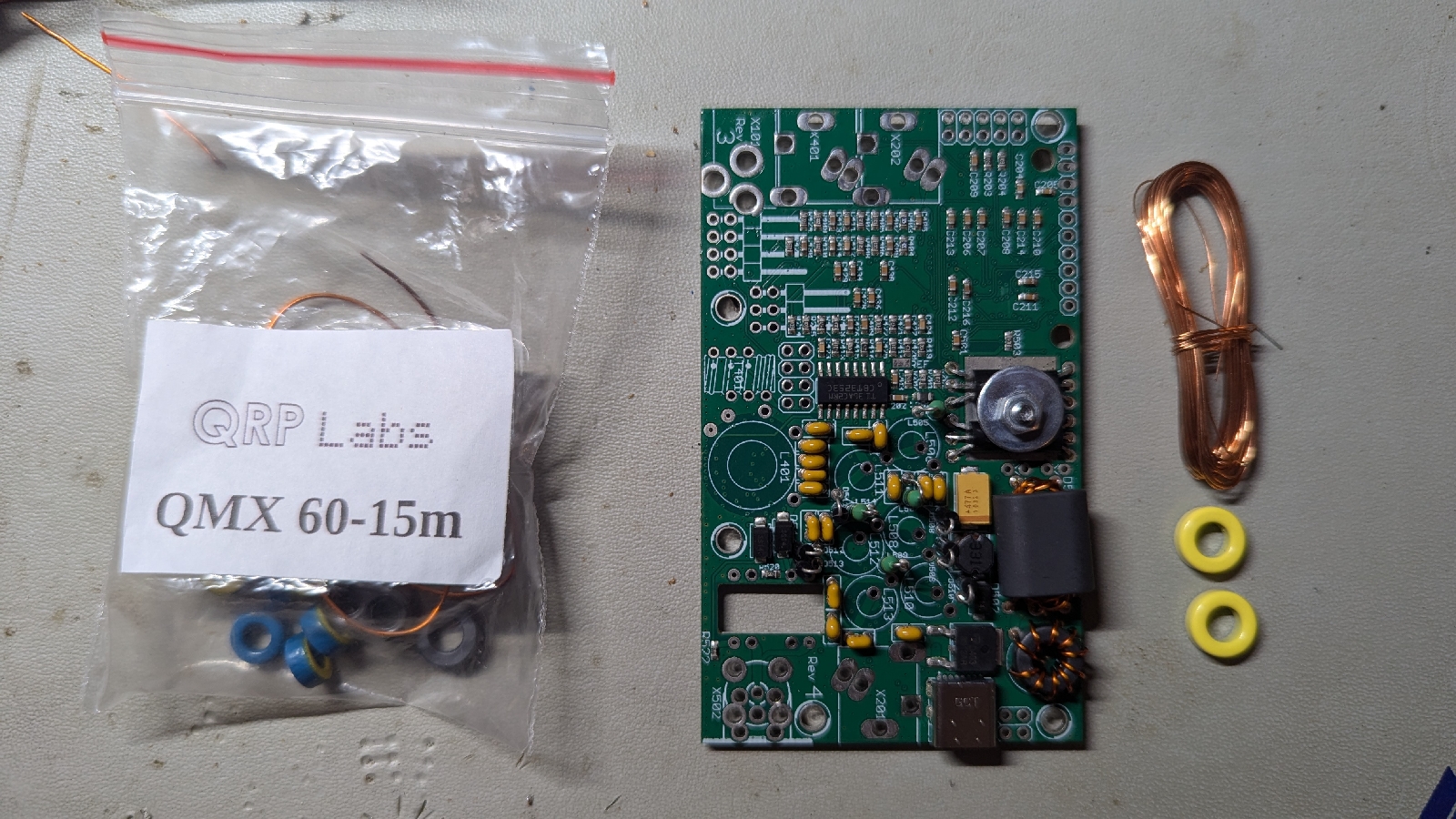
Well, after thinking about it for over a year I finally purchased a QMX. It only took a week to get here.

So here we are at day one of the build.

I will try and take it slowly so as not to make mistakes. Also, it is very important to read the well written manual, over and over. Just to be sure 😊.


Wednesday, January 13, 2021

QCX-mini #4

The QCX-mini is now assembled!  It when together without a hitch and is receiving CW as it should.  The operator just needs to improve his decoding abilities and take the plunge to make that first CW contact.  OK, so I've held an Advanced AR License for over 30 years but you just can't rush these things!


Friday, January 01, 2021

QCX-mini #3


My QCX-mini arrived yesterday (31 December).  That is only ten days to traverse the world.  Not bad for the time of year, and in particular the time of year this year!   I'm looking forward to starting construction. 


Friday, December 11, 2020

QCX-mini #2

The QCX has undergone a third iteration. I built the original QCX three years ago, then the QCX-plus was released and now the QCX-mini.  See below for an introduction to the mini.  Hans informed me that he's 'received over 1,000 orders in 3 days'. Looks like there is a second batch coming in the new year.


The original was an excellent kit, and most enjoyable to assemble.  Looking forward to assembling this one over the holiday season! 

More information can be found here.


Friday, December 13, 2019

QCX Software updated to 1.03

I Just noticed that there have been a couple of software updates to the QCX since last I checked (1.01a).   On 3 December Hans Summers announced the release of software version 1.03 for the QCX.


As I don't update software all that often I thought I would take a screen shot so I'll have a record of which software I used (so I'll know for next time).

It only took a few minutes and without issue.

There is some added functionality, which includes the following: -
- CAT Control (TS-480 subset, see manual)
- Real time clock option, in bottom right of display, enabled by menu "7.8 Show clock"
- Clock will be automatically set from GPS if it is temporarily connected
- GPS plugged in, puts the radio in Practice mode AND does not key it anymore
- When GPS is plugged and removed, Practice mode is automatically switched off again
- Setting speed to 0, puts the QCX in Straight key mode
- Remove spurious short TX enable at power-up

There is an updated manual with additional info for Version 1.03 .

See: -
Custom splash and Clock function on p.101.
CAT Control commands (PC remote operation) on p.109.

Saturday, October 05, 2019

Multi Frequence CW Beacon

A few years back (2015)  Anthony, K3NG published code for a Yaesu FT-817 Arduino Controlled Beacon.  Although not polished or documented, I decided to give it a go, and learn a thing or two in the process.  The code can be found here

After some tweaks we have the code side of things up and running.  It's amazing what you can do with an Arduino Uno.

https://www.arduino.cc/

Watch this space.


Tuesday, June 11, 2019

CW Keyer

Over the last few months I have used up some parts that were taking up space, and or just not being used.  So decided to build a CW Keyer using the code provided by K3NG. This with a spare Arduino Nano and other bits in stock and it all came together nicely.

It has 5 memories and can switch between two Transceivers.


Saturday, February 03, 2018

30m QCX

The QCX is up and running!


Info on the 5W CW transceiver kit here.

QRP Labs Shop - Order here!

VK8MT Status (Last 3 hours)